Tutorials
Usage
Note
Always remember, when in doubt use --help flag.
Getting Help
jetburn --help

Search
Options
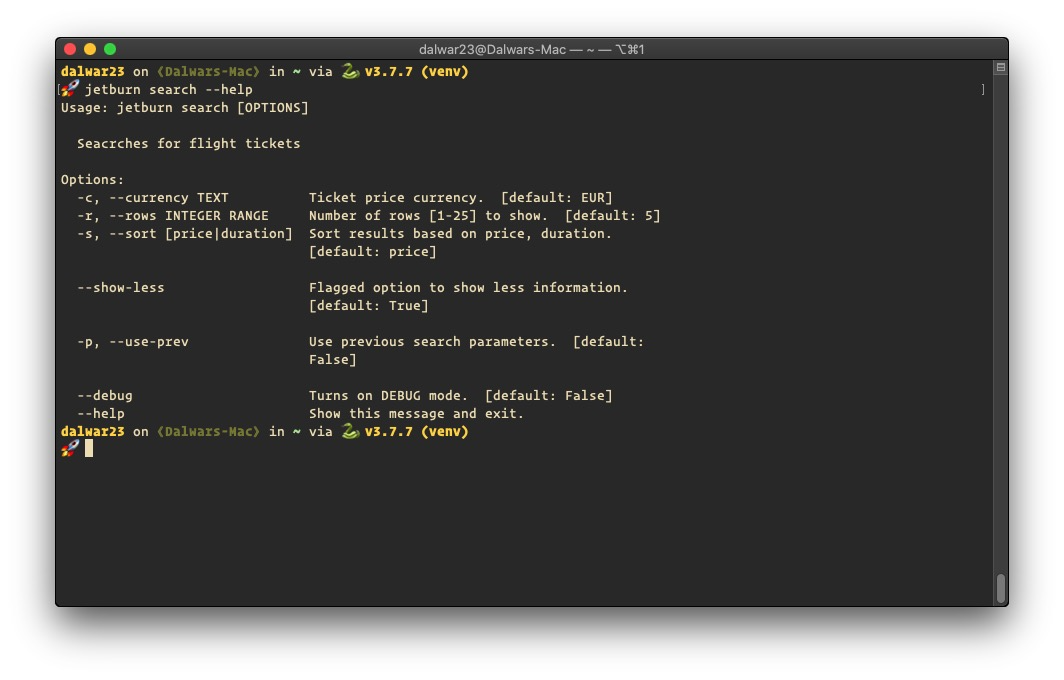
search is the option that does the actual flight seaches. It has
quite a few options to consider. --help flag will show all available
options.
jetburn search --help
Simple Search
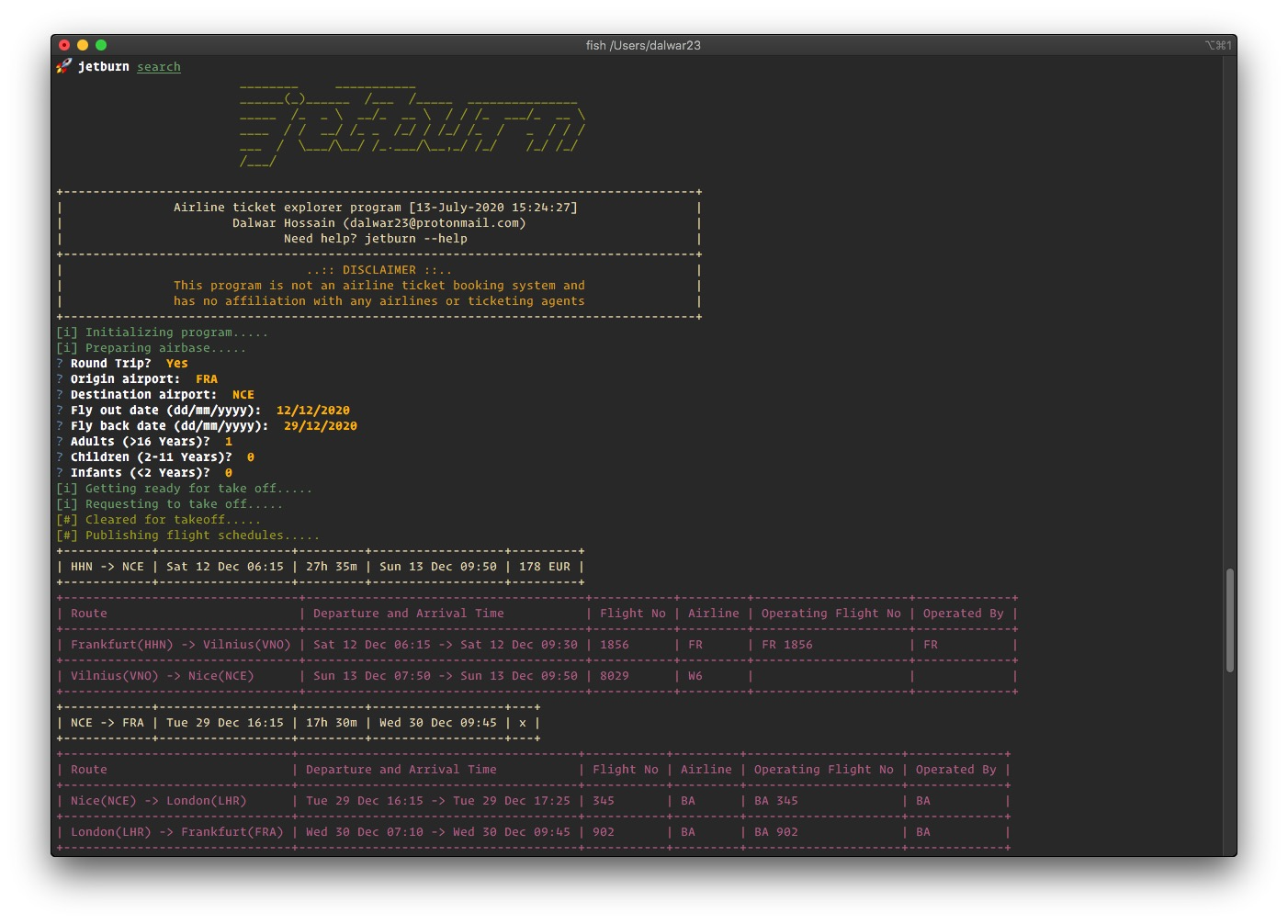
To search for flights between two airports, invoke a simple search with
jetburn search
Display Less Information
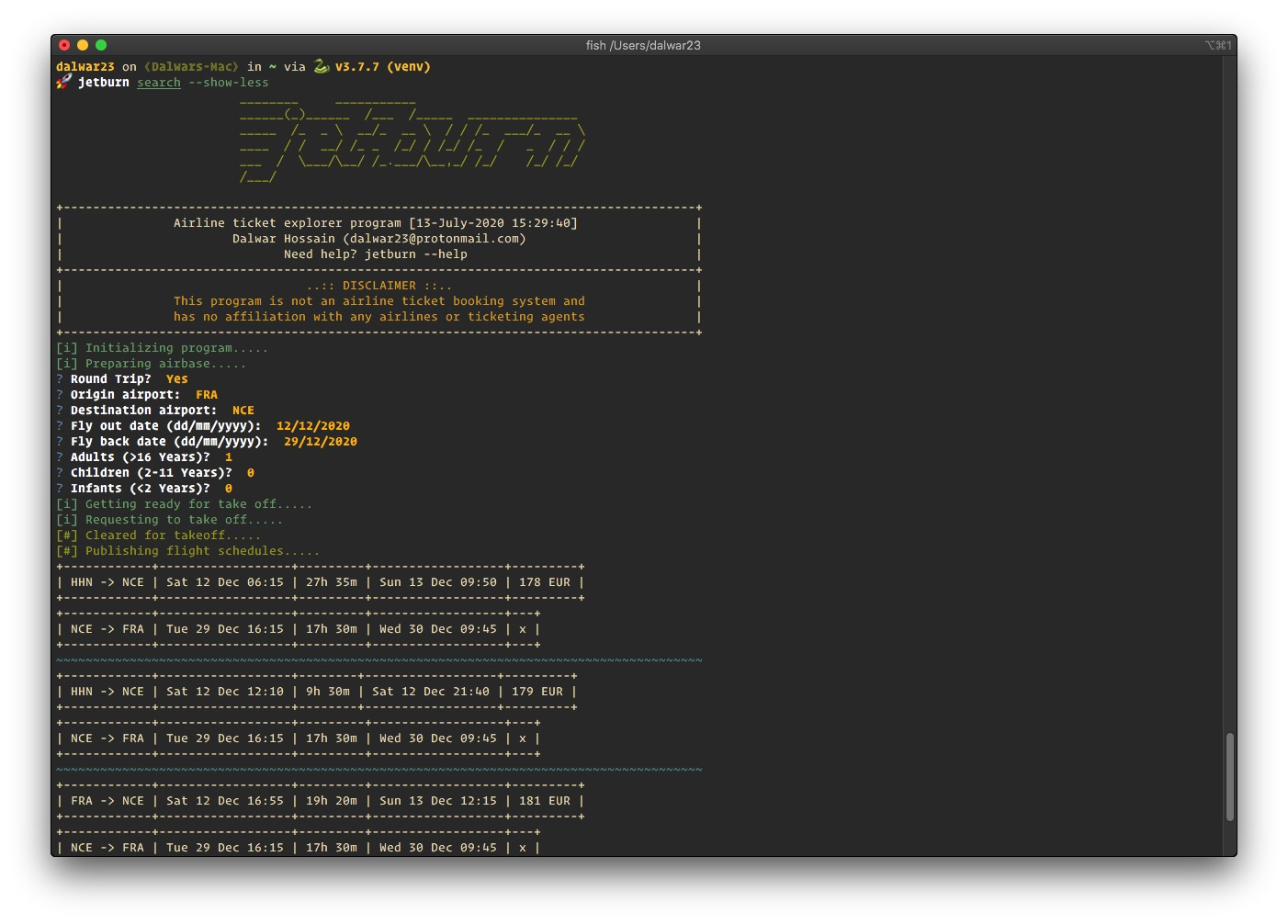
To show less information on screen use --show-less flag.
jetburn search --show-less
Use Previous Search Parameters
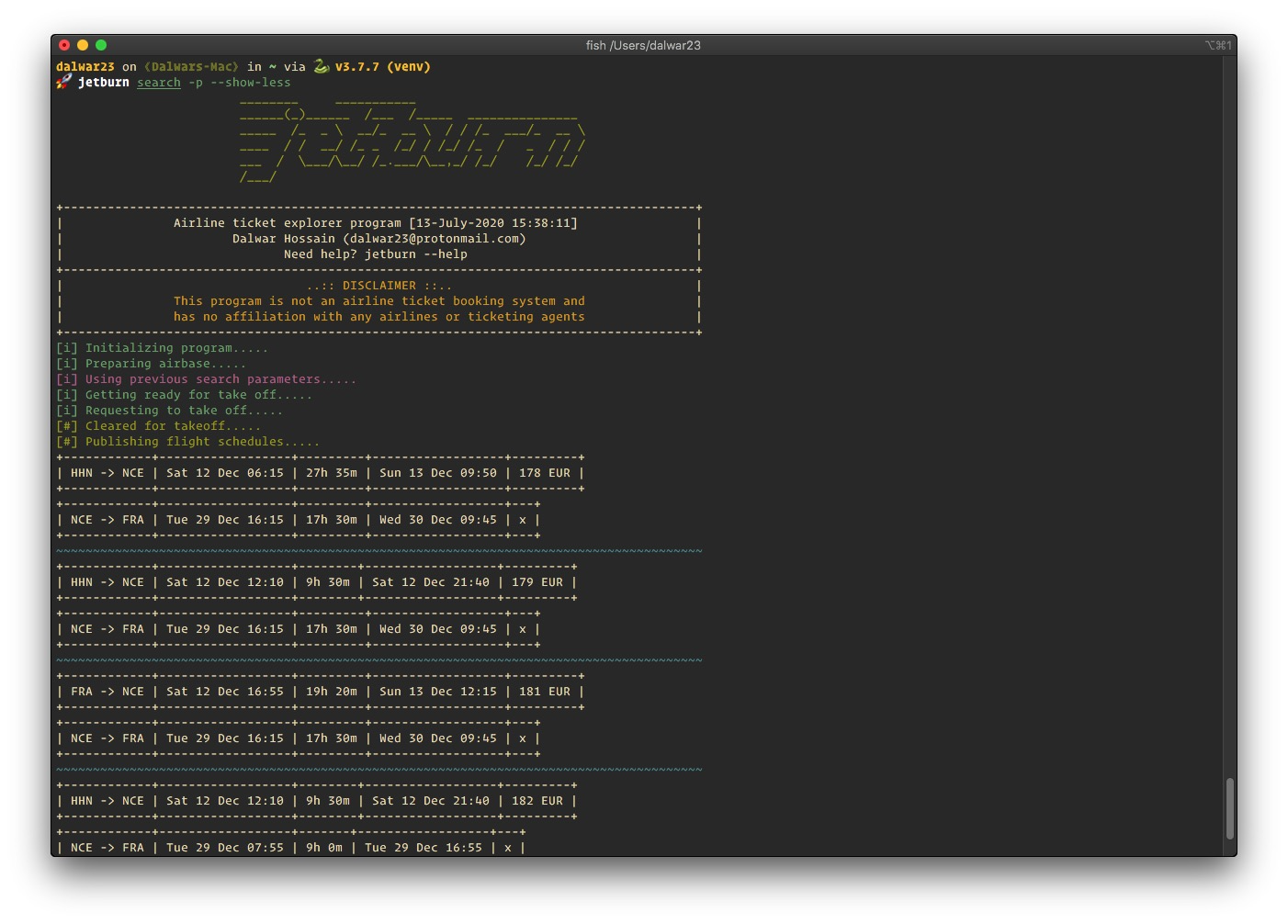
To use the previous search parametes again in a new search, pass in the
-p or --use-prev flag. In this way, system will not ask question
about your trip details. It will try to find the previous search parameters
and use it, in case the system can’t find any previous search it will prompt
for trip details.
jetburn search -p --show-less
Price in Desired Currency
To get the ticket price in a desired currency, add -c or --currency flag
follwed by ISO 4217 currency code.
Hint
See FIND section of this tutorial to find the currency code of your
desired country.
jetburn search -c AUD --show-less

Adjust Search Results Display
By default the system will show 5 results on screen. With the help of
-r or --rows flag this behaviour can be adjusted between 1 - 25.
Below example shows only 2 results.
jetburn search -c AUD -r 2 -p --show-less

Sort Search Results
Search results can be sorted against price and duration. By DEFAULT
it’s sorted from LOWEST PRICE HIGHEST.
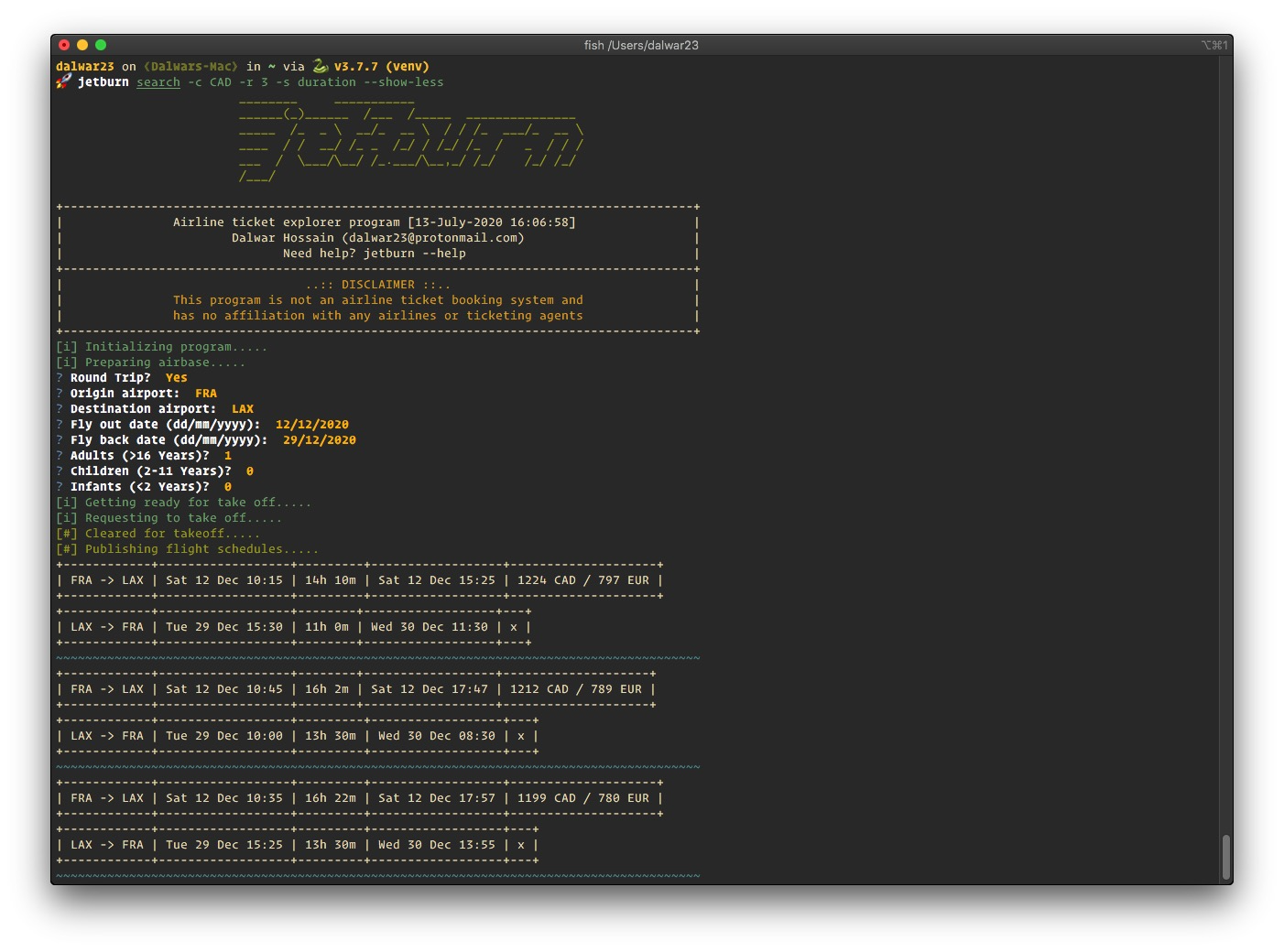
There are two options available for sorting - price and duration of the
flight. To sort the results according to flight duration use -s or --sort
flag. The following example shows a result set sorted by duration.
jetburn search -c CAD -r 3 -s duration --show-less
Info
To get the current version use -
jetburn --version
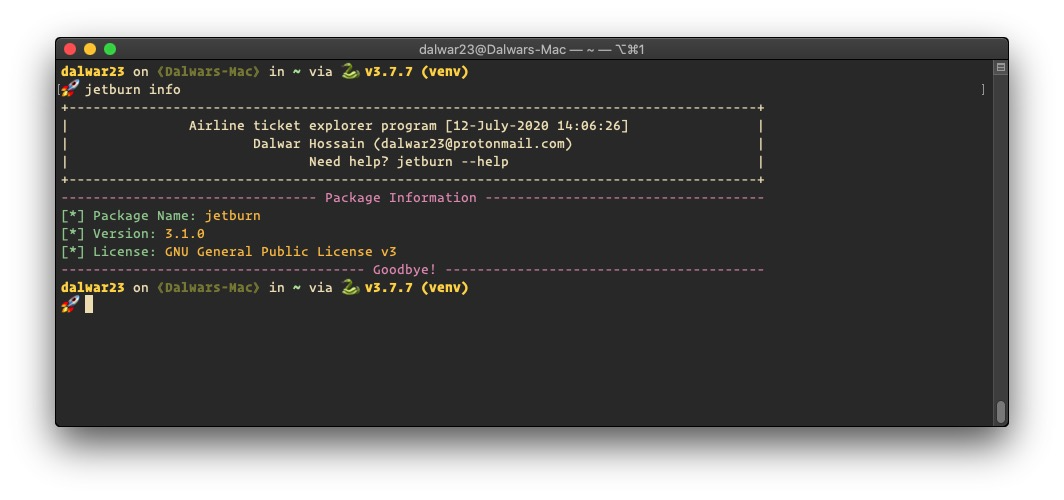
If interested in more information about the package use info
sub-command
jetburn info
Find
Aritports
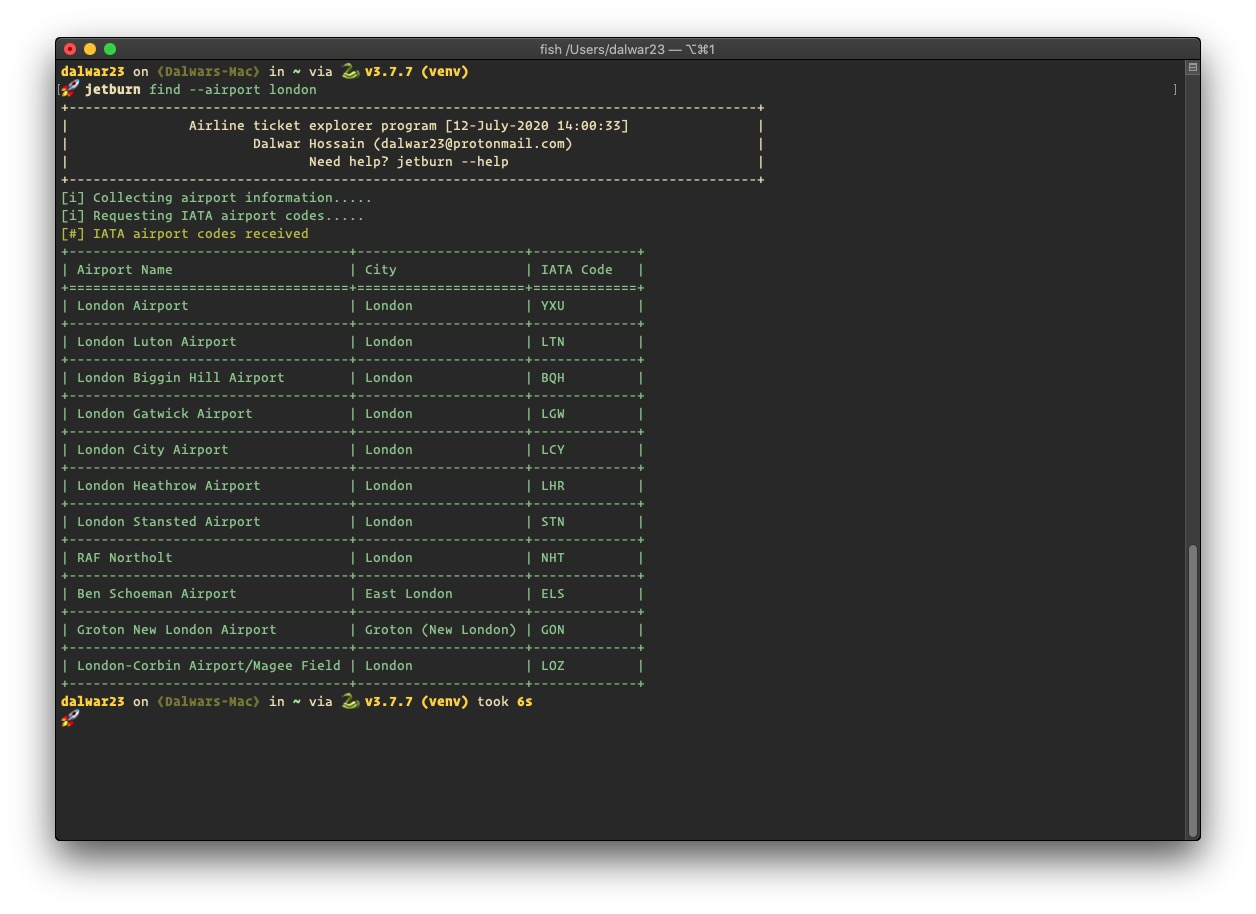
To find airports by city name use find sub-command. E.g.
let’s find out all airports located in/near LONDON.
jetburn find --airport london
Airlines
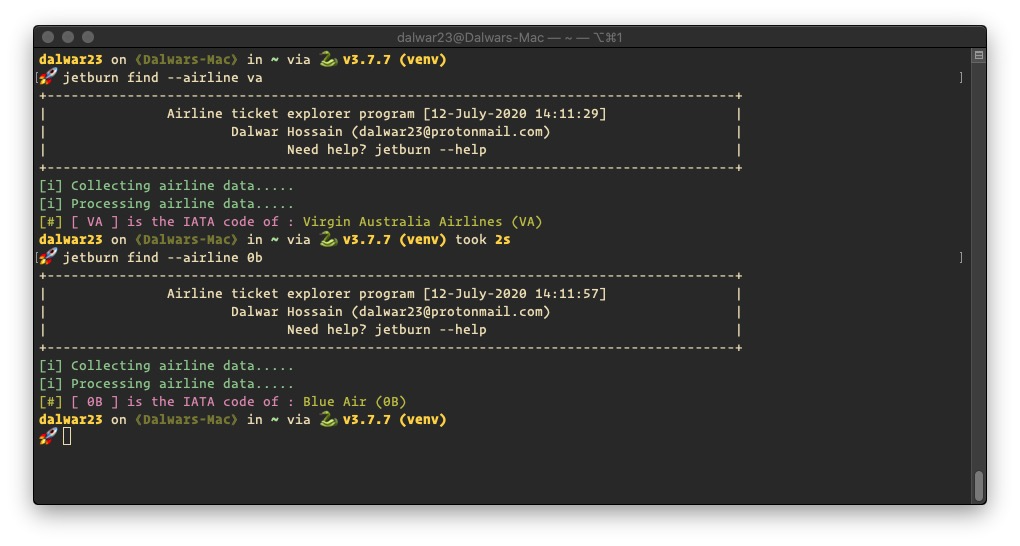
Finding IATA code for airlines from a search is easy but this
option is designed to help to get the name of the airline. e.g Let’s find
out which airline is VA or 0b ?
jetburn find --airline va
Currency
If you are in doubt what is the currency code to be used while searching,
currency codes can be obtained through --currency flag with
country name as an argument. e.g. Let’s take a look at the currency
code of mongolia
jetburn find --currency mongolia

Check
This sub-command is designed to check if a currency can be used to
search flights. Flight search will show results in provided currency if
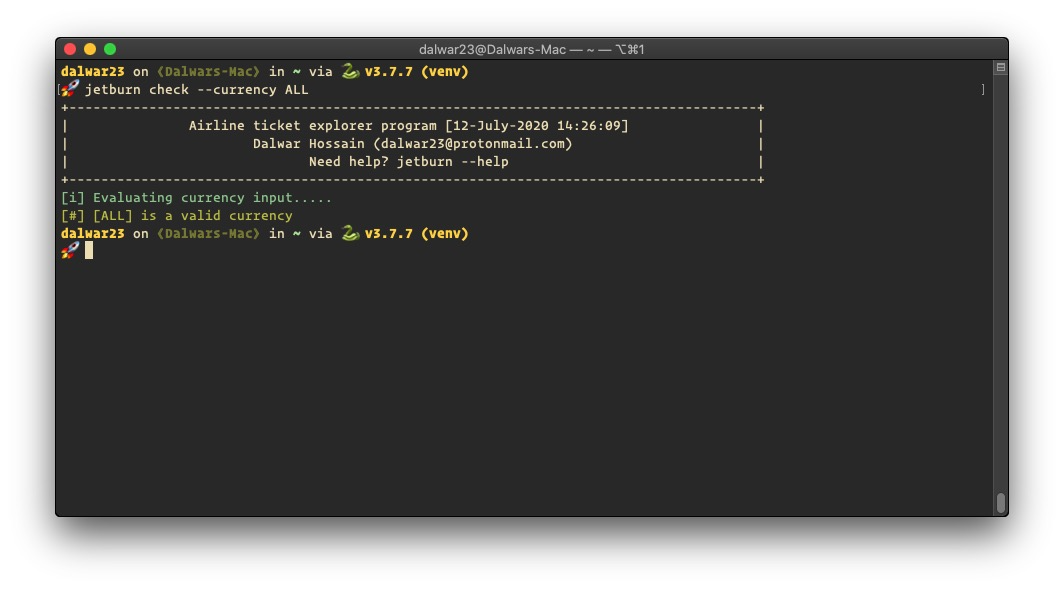
the provided currency is a valid currency. Let’s check if ALL is a
valid currency or not.
Important
all in small letters will show all the valid currencies but ALL is
a valid currency of ALBANIA
jetburn check --currency ALL